

- Home
- About Us
-
Our Solution
Marketing SolutionIT solution
- Our Clients
- Our Tech
- Blogs
- Career
- Contact Us
Please fill out the form below if you have a plan or project in mind that you'd like to share with us.
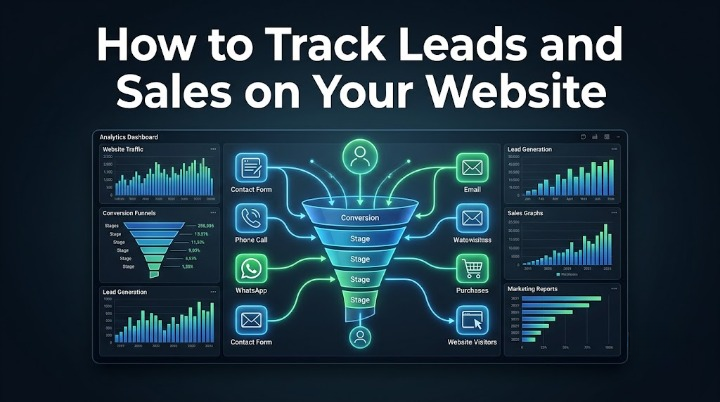
Your website may receive hundreds or even thousands of visitors every month, but do you know how many of those visitors become leads or paying customers?
Without proper tracking, it's impossible to measure which marketing channels are driving results. Whether your traffic comes from Google Search, SEO, Google Ads, Meta Ads, or social media, accurate tracking helps you understand what is working and where your marketing budget should be invested.
By tracking leads and sales, businesses can improve campaigns, optimize user journeys, and make data-driven decisions that increase revenue.
In this guide, we'll explain how to track leads and sales using Google Analytics 4 (GA4), Google Tag Manager (GTM), and Google Ads conversion tracking.
Tracking helps you answer questions like:
These insights allow you to improve both marketing and website performance.
A lead is someone who shows interest in your business by taking an action such as:
A conversion is any action you define as valuable, including purchases, sign-ups, downloads, or appointments.
Important website events include:
Tracking these events provides a complete picture of user behavior.
GA4 collects data about how users interact with your website.
It allows you to monitor:
GA4 is the foundation of modern website analytics.
Google Tag Manager simplifies tracking by allowing you to manage tags without editing your website code every time.
With GTM, you can implement:
This makes tracking more flexible and easier to maintain.
Contact forms are one of the most valuable lead sources for service-based businesses.
Track events such as:
This helps identify which pages and campaigns generate qualified leads.
Many customers prefer to call or message directly.
Configure tracking for:
These interactions often represent high-intent prospects.
If you run an online store, monitor:
This data helps optimize your sales funnel.
Link your Google Ads account with GA4 and GTM to measure:
Accurate conversion tracking improves campaign optimization and automated bidding.
Regularly review:
Use these insights to improve marketing performance.
Avoid:
Accurate data depends on ongoing maintenance.
At Niktech Solution, we help businesses implement reliable tracking systems that measure every important customer interaction.
Our analytics services include:
Our goal is to provide businesses with accurate data that supports smarter marketing decisions and higher ROI.
Tracking helps you understand which marketing efforts generate real business results, allowing you to invest more effectively.
Yes. With Google Tag Manager and GA4, these interactions can be configured as conversion events.
While not mandatory, GTM makes implementing and managing tracking much easier and reduces reliance on website code changes.
Yes. GA4 supports enhanced eCommerce tracking, including purchases, revenue, product performance, and customer journeys.
Yes. We implement Google Analytics 4, Google Tag Manager, conversion tracking, event tracking, and analytics solutions tailored to your business needs.
Tracking leads and sales is essential for understanding how your website contributes to business growth. By implementing GA4, Google Tag Manager, and accurate conversion tracking, you gain the insights needed to improve campaigns, optimize user experiences, and increase revenue.
At Niktech Solution, we help businesses build reliable analytics systems that transform website data into actionable business intelligence.
Want to know exactly where your leads and sales come from?
Partner with Niktech Solution for professional GA4 setup, Google Tag Manager implementation, conversion tracking, and analytics solutions that help you make smarter marketing decisions and maximize ROI.
Contact Niktech Solution today for a free website tracking consultation.


