

- Home
- About Us
-
Our Solution
Marketing SolutionIT solution
- Our Clients
- Our Tech
- Blogs
- Career
- Contact Us
Please fill out the form below if you have a plan or project in mind that you'd like to share with us.
Google processes over 8.5 billion searches per day. Let that number sink in for a moment. Every single day, billions of people turn to Google to find answers, products, services, and businesses. And when they search for something related to your business, where do you appear? At the top of the results? Somewhere on page 2 (where nobody looks)? Or nowhere at all?
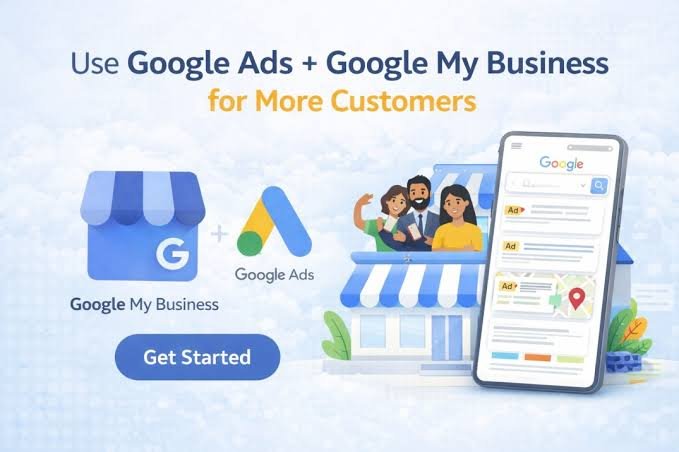
Two of the most powerful tools for ensuring your business appears prominently in Google's search results are Google Ads and Google My Business (GMB) — now known as Google Business Profile. At NikTech Solution, we help businesses leverage both of these tools to maximize their visibility, generate more leads, and drive significant revenue growth.
Google Ads is Google's online advertising platform that allows businesses to display ads in Google's search results, on YouTube, across the Google Display Network, and in Google Shopping results. It operates on a pay-per-click (PPC) model, meaning you only pay when someone clicks on your ad.
Google Ads is the fastest way to get your business in front of people who are actively searching for what you offer. Unlike organic search results, which can take months to achieve through SEO, Google Ads can put you at the top of the search results within hours.
1. Search Campaigns
Text ads that appear at the top and bottom of Google search results when users search for your target keywords. These are the most common type of Google Ads and typically deliver the highest conversion rates because they target people with active search intent.
2. Display Campaigns
Visual banner ads that appear across Google's Display Network — a vast network of over 2 million websites, apps, and videos that reaches over 90% of internet users. Display ads are excellent for building brand awareness and remarketing.
3. Shopping Campaigns
Product listing ads that appear in Google Shopping results and search results, featuring your product image, price, merchant name, and reviews. Essential for e-commerce businesses.
4. Video Campaigns
Video ads that appear on YouTube and across the Google Display Network. YouTube is the world's second-largest search engine and offers powerful targeting options.
5. Performance Max Campaigns
AI-powered campaigns that run across all Google channels simultaneously — Search, Display, YouTube, Gmail, Discover, and Maps. Google's machine learning optimizes your ads across all placements to maximize conversions.
6. App Campaigns
Campaigns designed to drive app installs and engagement across Google Search, Google Play, YouTube, and the Display Network.
7. Discovery Campaigns
Ads that appear in Google Discover (the personalized content feed on Android and the Google app), YouTube, and Gmail.
Keyword Strategy
Ad Copy Excellence
Landing Page Optimization
Bidding Strategy
Quality Score Optimization
Quality Score is Google's rating of the relevance and quality of your keywords, ads, and landing pages. Higher Quality Scores result in lower costs per click and better ad positions.
To improve Quality Score:
Google My Business (now officially called Google Business Profile) is a free tool from Google that allows businesses to manage their online presence across Google Search and Google Maps. When someone searches for a local business or service, Google displays a local pack of results — and your Google Business Profile is what appears in those results.
For local businesses, Google My Business is arguably the most important digital marketing tool available. It's often the first thing potential customers see when they search for your type of business in your area.
1. Complete Every Section
2. Add High-Quality Photos and Videos
3. Manage and Respond to Reviews
4. Post Regular Updates
5. Answer Questions
6. Add Products and Services
7. Use Messaging
8. Monitor Insights
Google provides valuable analytics about your profile:
When you combine Google Ads with an optimized Google Business Profile, you create a powerful synergy:
Local Search Ads — Connect your Google Ads account with your Google Business Profile to show ads in Google Maps and local search results, including your business name, address, hours, and ratings.
Location Extensions — Display your business address, phone number, and a map marker alongside your search ads, making it easy for local customers to find and contact you.
Call Extensions — Add phone numbers to your ads so customers can call directly from the search results.
Store Visit Conversions — Track when people who click on your ads visit your physical location (available for businesses with sufficient foot traffic data).
Enhanced Credibility — When a customer sees your business in both the paid ads and the local pack, it reinforces your credibility and increases the likelihood of a click or visit.
Our Google Ads and GMB management services include:
Google Ads and Google My Business are two of the most powerful tools available for businesses that want to be found by customers online. Together, they provide a comprehensive solution for dominating Google search results — both paid and organic, both maps and web.
At NikTech Solution, we have the expertise to help you set up, manage, and optimize both Google Ads campaigns and Google Business Profiles to maximize your visibility, leads, and revenue.
Contact NikTech Solution today for a free Google Ads audit and Google Business Profile review.


