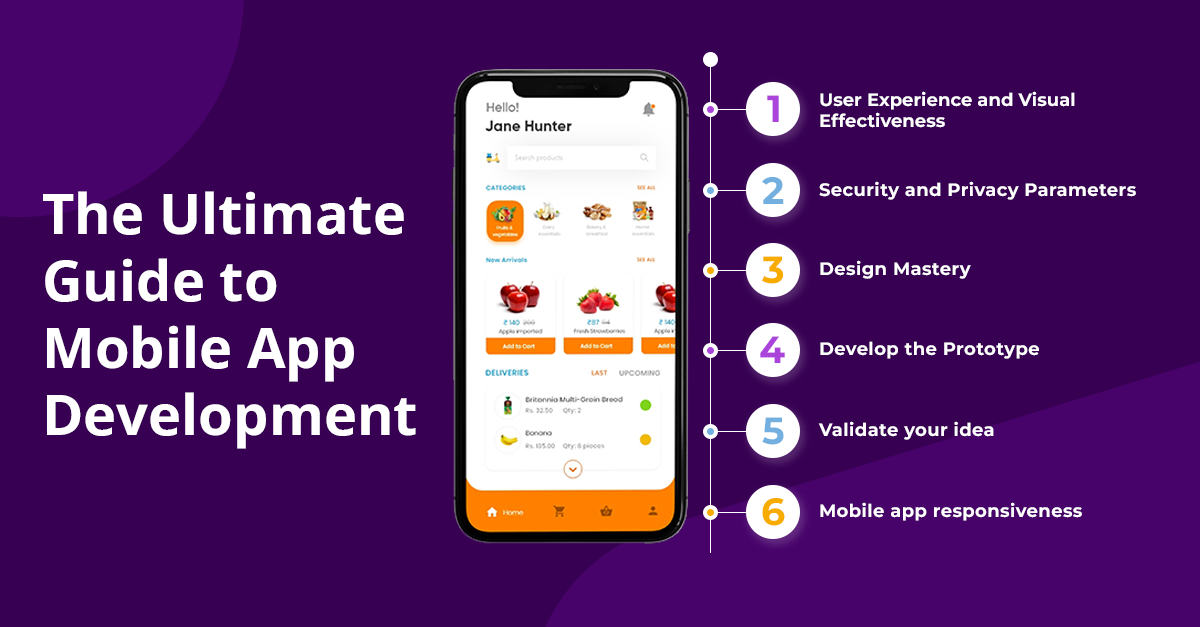
We live in a mobile-first world. There are over 6.8 billion smartphone users globally, and the average person spends more than 4 hours per day on their smartphone. Mobile apps are at the center of this mobile revolution — they're how we communicate, shop, bank, learn, play, work, and connect with the world around us.
For businesses, a well-designed mobile app isn't just a nice-to-have — it's a competitive advantage that can drive engagement, loyalty, and revenue. Whether you're looking to create a customer-facing app, an internal enterprise solution, or a groundbreaking startup product, understanding the mobile app development process is crucial.
At NikTech Solution, we've developed mobile apps across every category — from e-commerce and healthcare to education and entertainment. In this comprehensive guide, we'll walk you through everything you need to know about mobile app development in 2025.
Why Invest in a Mobile App?
Before diving into the technical details, let's understand why your business might need a mobile app:
1. Direct Customer Engagement
A mobile app puts your brand directly in your customers' pockets. Push notifications allow you to communicate with them instantly — promoting sales, sharing updates, sending reminders, and re-engaging dormant users.
2. Enhanced Customer Experience
Mobile apps provide faster, smoother, and more personalized experiences than mobile websites. Features like offline access, camera integration, GPS, biometric authentication, and native gestures create experiences that mobile websites simply can't match.
3. Increased Customer Loyalty
Customers who download your app are demonstrating a higher level of commitment to your brand. Apps with loyalty programs, personalized recommendations, and exclusive content foster deeper relationships and repeat purchases.
4. Additional Revenue Stream
Mobile apps can generate revenue through direct sales, in-app purchases, subscriptions, advertising, and premium features.
5. Competitive Advantage
In many industries, having a mobile app sets you apart from competitors who are still relying solely on websites. It signals innovation, commitment to customer experience, and technological sophistication.
6. Valuable Customer Data
Mobile apps provide rich data about user behavior, preferences, and engagement patterns. This data can inform product development, marketing strategy, and business decisions.
Types of Mobile Apps
1. Native Apps
Built specifically for a particular operating system (iOS or Android) using platform-specific programming languages:
- iOS: Swift or Objective-C
- Android: Kotlin or Java
Pros: Best performance, full access to device features, superior user experience, better security
Cons: Higher development cost (separate apps for each platform), longer development time
2. Cross-Platform Apps
Built using frameworks that allow code to be shared across multiple platforms:
- React Native (developed by Meta)
- Flutter (developed by Google)
- Xamarin (developed by Microsoft)
Pros: Single codebase for both iOS and Android, lower cost and faster development, near-native performance
Cons: May not leverage all platform-specific features, potential performance limitations for complex apps
3. Hybrid Apps
Built using web technologies (HTML, CSS, JavaScript) wrapped in a native container:
- Ionic
- Apache Cordova
- PhoneGap
Pros: Lowest development cost, single codebase, easy to maintain
Cons: Lower performance than native or cross-platform apps, limited access to device features, may feel less responsive
4. Progressive Web Apps (PWAs)
Web applications that use modern web technologies to deliver app-like experiences through the browser:
Pros: No app store download required, work across all devices, easy to update, discoverable through search engines
Cons: Limited access to device features, no app store presence, lower engagement than native apps
Which Type Should You Choose?
The right choice depends on your specific needs:
| Factor |
Native |
Cross-Platform |
Hybrid |
PWA |
| Performance |
Excellent |
Very Good |
Good |
Good |
| Development Cost |
High |
Medium |
Low-Medium |
Low |
| Development Time |
Longest |
Medium |
Shorter |
Shortest |
| User Experience |
Best |
Very Good |
Good |
Good |
| Device Features |
Full Access |
Mostly Full |
Limited |
Very Limited |
| App Store Presence |
Yes |
Yes |
Yes |
No |
| Maintenance |
Separate for each platform |
Single codebase |
Single codebase |
Single codebase |
At NikTech Solution, we recommend React Native or Flutter for most business applications, as they offer the best balance of performance, cost, and development speed. For apps with demanding performance requirements (gaming, AR/VR, complex animations), we recommend native development.
The Mobile App Development Process at NikTech Solution
Phase 1: Discovery and Strategy
a. Business Analysis
- Understanding your business goals and objectives
- Identifying the problem your app will solve
- Defining your target audience and their needs
- Analyzing the competitive landscape
- Determining monetization strategy
b. Requirements Gathering
- Documenting functional requirements (features and capabilities)
- Defining non-functional requirements (performance, security, scalability)
- Prioritizing features using the MoSCoW method (Must have, Should have, Could have, Won't have)
- Creating user stories and use cases
c. Technical Planning
- Selecting the development approach (native, cross-platform, hybrid)
- Choosing the technology stack
- Planning the app architecture
- Identifying third-party integrations (APIs, payment gateways, analytics)
- Estimating timeline, resources, and budget
Phase 2: UI/UX Design
a. User Research
- Understanding user behaviors, preferences, and pain points
- Creating user personas
- Mapping user journeys and flows
b. Wireframing
- Creating low-fidelity wireframes that define the layout and structure of each screen
- Mapping the navigation flow between screens
- Validating the user experience before investing in visual design
c. Visual Design
- Developing the app's visual identity (colors, typography, iconography)
- Creating high-fidelity mockups for each screen
- Following platform-specific design guidelines (Apple's Human Interface Guidelines, Google's Material Design)
- Designing for accessibility (contrast ratios, font sizes, touch targets)
d. Prototyping and Testing
- Building interactive prototypes that simulate the app experience
- Conducting usability testing with real users
- Iterating based on feedback
Phase 3: Development
a. Front-End Development
- Building the user interface based on approved designs
- Implementing navigation, animations, and interactions
- Connecting the front-end to APIs and back-end services
b. Back-End Development
- Setting up servers, databases, and cloud infrastructure
- Building APIs for data exchange between the app and the server
- Implementing business logic and data processing
- Setting up user authentication and authorization
c. Third-Party Integrations
- Payment gateways (Razorpay, Stripe, PayPal)
- Social media login (Google, Facebook, Apple)
- Push notification services (Firebase, OneSignal)
- Analytics (Firebase Analytics, Mixpanel)
- Maps and location services
- Chat and messaging (Twilio, Socket.io)
- Cloud storage (AWS S3, Google Cloud Storage)
Phase 4: Testing and Quality Assurance
Rigorous testing is essential for a successful app launch:
- Functional testing — Verifying that all features work as expected
- UI/UX testing — Ensuring the interface looks and feels right across all devices
- Performance testing — Testing speed, responsiveness, and stability under various conditions
- Security testing — Identifying and fixing vulnerabilities
- Compatibility testing — Testing across different devices, screen sizes, and OS versions
- Network testing — Testing behavior under different network conditions (Wi-Fi, 4G, 3G, offline)
- Regression testing — Ensuring new code changes don't break existing functionality
- User acceptance testing (UAT) — Final testing with stakeholders and real users
Phase 5: Launch
a. App Store Submission
- Preparing app store listings (title, description, screenshots, keywords)
- Meeting Apple App Store and Google Play Store guidelines
- Submitting for review and addressing any feedback
b. Launch Strategy
- Coordinating with marketing team for launch promotion
- Preparing customer support for incoming questions and feedback
- Monitoring app performance and user feedback post-launch
Phase 6: Post-Launch Maintenance and Growth
The work doesn't end at launch. Successful apps require ongoing attention:
- Bug fixes — Quickly addressing any issues reported by users
- Performance optimization — Continuously improving speed and stability
- Feature updates — Adding new features based on user feedback and business needs
- OS updates — Ensuring compatibility with new iOS and Android versions
- Security patches — Addressing vulnerabilities as they're discovered
- Analytics monitoring — Tracking user behavior, engagement, and retention
- ASO (App Store Optimization) — Optimizing your app store listing for discoverability
Key Features Every Successful App Needs
Regardless of your app's specific purpose, certain features are essential:
- Intuitive onboarding — Guide new users through the app's key features
- User authentication — Secure login with options for social media, email, phone, and biometrics
- Push notifications — Timely, relevant notifications that drive engagement
- In-app messaging/support — Allow users to get help without leaving the app
- Personalization — Customize the experience based on user preferences and behavior
- Offline functionality — Allow core features to work without an internet connection
- Search and filters — Help users find what they're looking for quickly
- Social sharing — Enable users to share content from your app on social media
- Analytics and tracking — Monitor how users interact with your app
- Regular updates — Show users that you're actively improving the app
Mobile App Development Trends for 2025
- AI and Machine Learning integration — Chatbots, voice assistants, personalization, predictive analytics
- 5G-powered experiences — Faster, richer, more immersive experiences enabled by 5G networks
- Internet of Things (IoT) connectivity — Apps that connect with smart devices, wearables, and sensors
- Augmented Reality (AR) and Virtual Reality (VR) — Immersive experiences for retail, education, entertainment, and more
- Blockchain and decentralized apps — Enhanced security, transparency, and user control
- Super apps — Multi-functional platforms that combine multiple services in a single app
- Wearable app development — Apps for smartwatches, fitness trackers, and other wearable devices
- Voice-enabled interfaces — Voice search, commands, and interaction within apps
- Edge computing — Processing data closer to the user for faster, more responsive apps
- Low-code/no-code platforms — Tools that enable faster app development with less coding
How Much Does Mobile App Development Cost?
The cost of mobile app development varies widely based on several factors:
- Complexity — Simple apps with basic features cost less than complex apps with advanced functionality
- Platform — Developing for both iOS and Android costs more than developing for a single platform (unless using cross-platform technology)
- Design — Custom design with animations and complex interactions costs more than simple, template-based design
- Back-end — Apps that require a custom back-end with databases, APIs, and server infrastructure cost more
- Integrations — Third-party integrations add to the development cost
- Development team — Costs vary based on the team's location, experience, and expertise
As a rough guide:
- Simple apps (basic features, single platform): ₹2-5 lakhs
- Medium complexity apps (multiple features, cross-platform): ₹5-15 lakhs
- Complex apps (advanced features, custom back-end, multiple integrations): ₹15-50+ lakhs
At NikTech Solution, we provide detailed project estimates based on your specific requirements, and we work with you to find the right balance between features, quality, and budget.
How NikTech Solution Can Help
Our mobile app development services include:
- App strategy and consulting
- UI/UX design following platform-specific guidelines
- Native iOS and Android development
- Cross-platform development (React Native, Flutter)
- Back-end development and API integration
- Third-party integrations (payment, analytics, social, etc.)
- Quality assurance and testing
- App store submission and optimization
- Post-launch maintenance and support
- App marketing and growth strategies
Conclusion
Mobile apps have become essential tools for businesses looking to engage customers, drive loyalty, and grow revenue. But building a successful app requires more than just coding — it requires strategy, design thinking, technical expertise, and a commitment to quality.
At NikTech Solution, we bring all of these elements together to create mobile apps that users love and that deliver real business results. From concept to launch and beyond, our team is with you every step of the way.
Ready to build your mobile app? Contact NikTech Solution today for a free consultation and project estimate.